01 / 08
Works offline
Keep selling even when the internet drops. Every sale is saved on the device and syncs automatically the moment you're back online.
Cashier view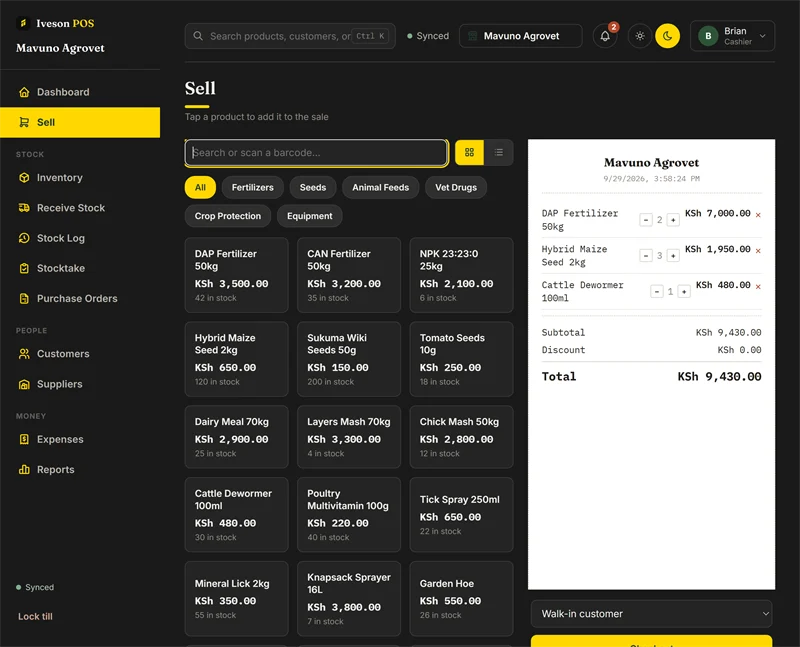
Sales, stock, M-Pesa, credit, staff and reports in one system, built for Kenyan shops and salons. It keeps working even when the internet drops.
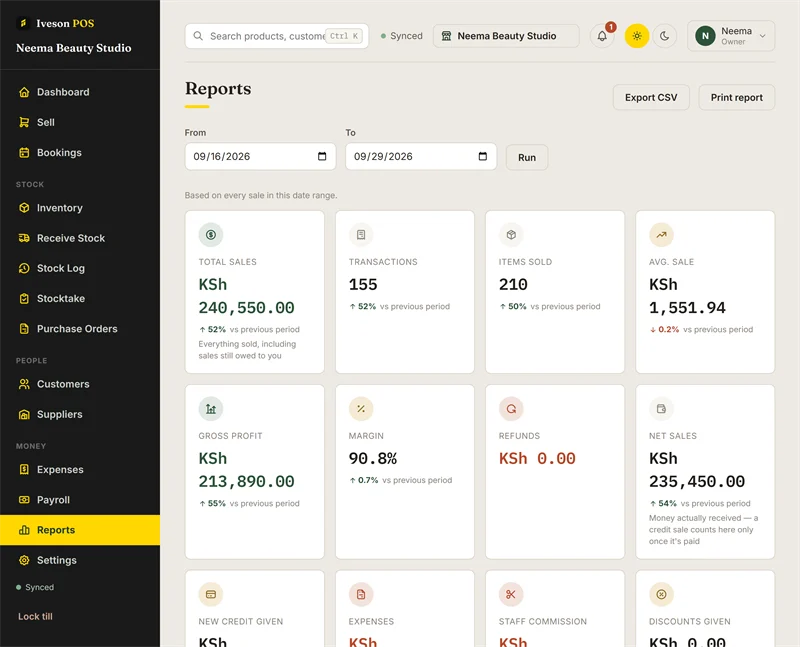
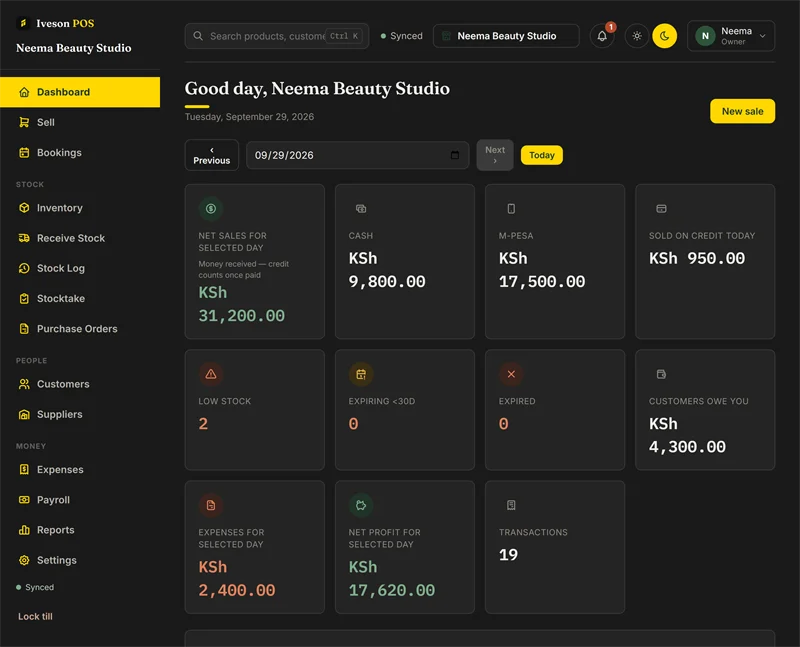
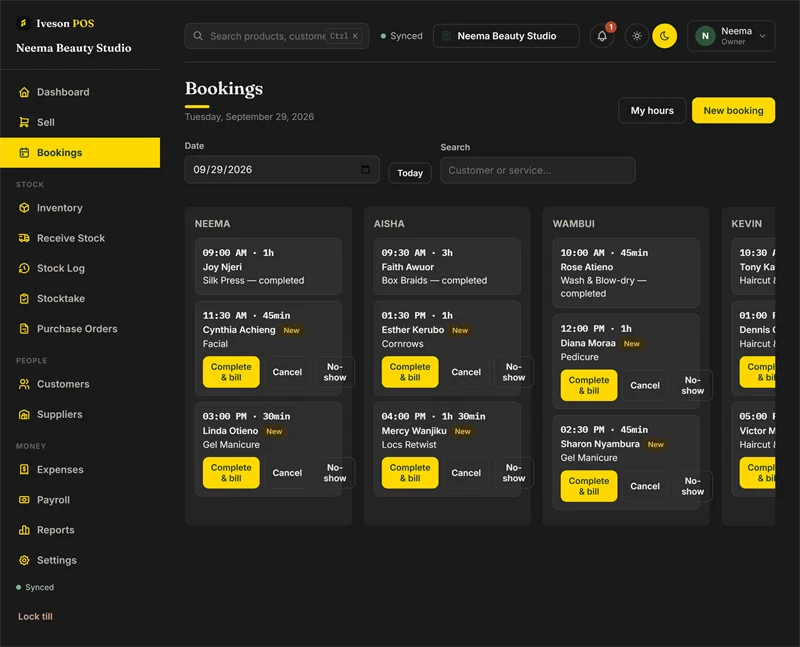
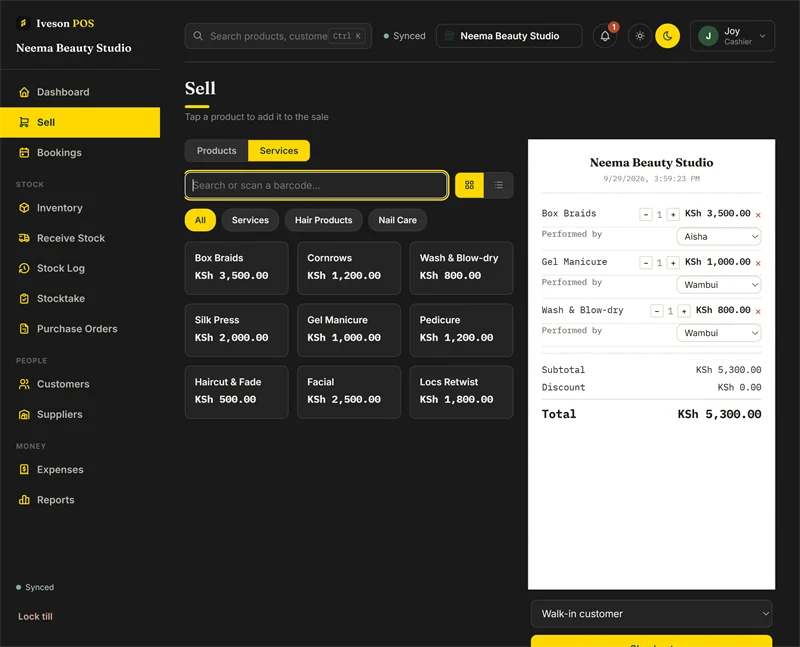
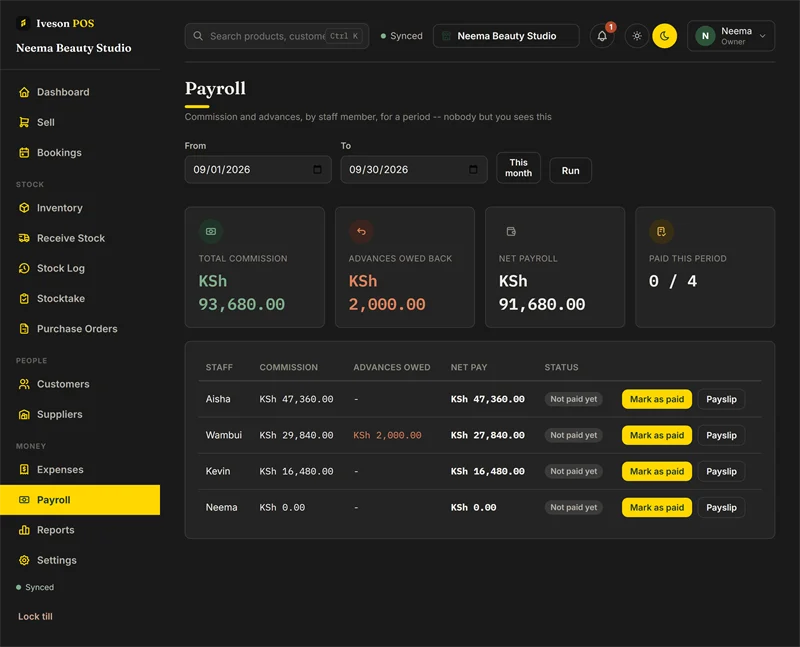
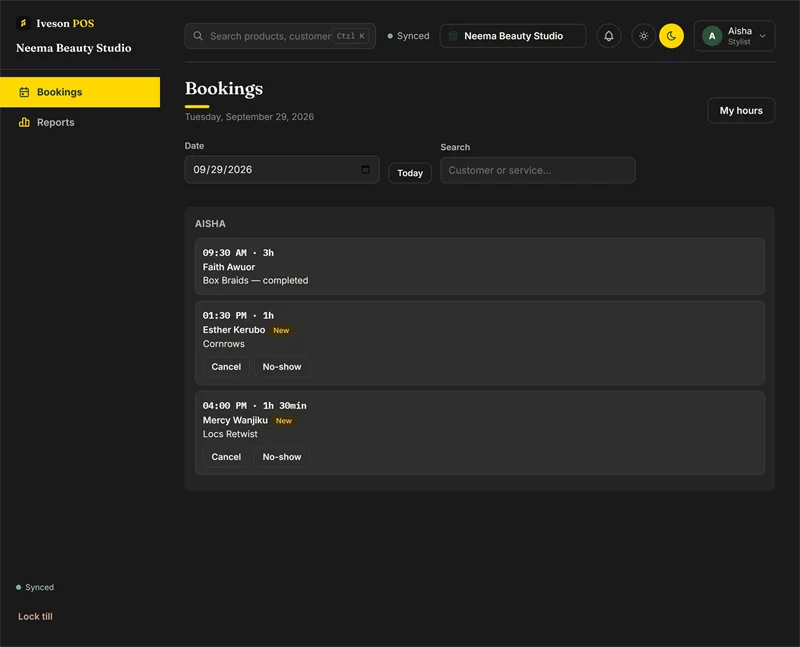
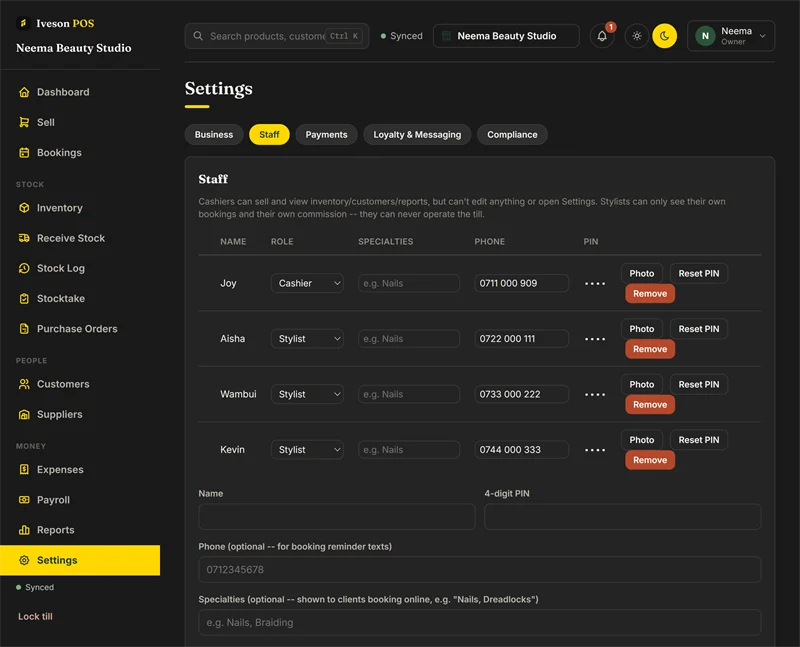
Real Iveson POS screens · the salon and its figures are sample data
It runs on the phone or laptop you already have, and we set it up with you before you start selling.
Message us and we'll show you the app with sample data, and answer your questions.
We set up your products, staff and M-Pesa Till or Paybill with you, so payments go straight to you.
On go-live day, pay the balance and start selling on any phone, tablet or laptop, even when the internet drops.
Manual books lose track. Spreadsheets don't sync. Guessing stock costs money. Iveson replaces all of it with one system built for how Kenyan businesses actually run.
Keep selling even when the internet drops. Every sale is saved on the device and syncs automatically the moment you're back online.
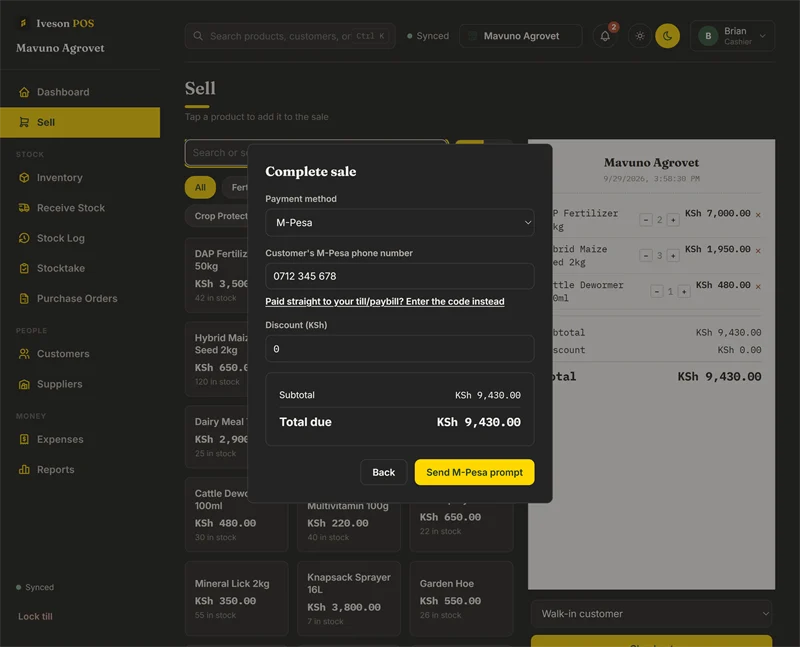
Payments go directly to your own Till or Paybill. We never touch or hold your customers' money — and you see cash and M-Pesa separately every day.
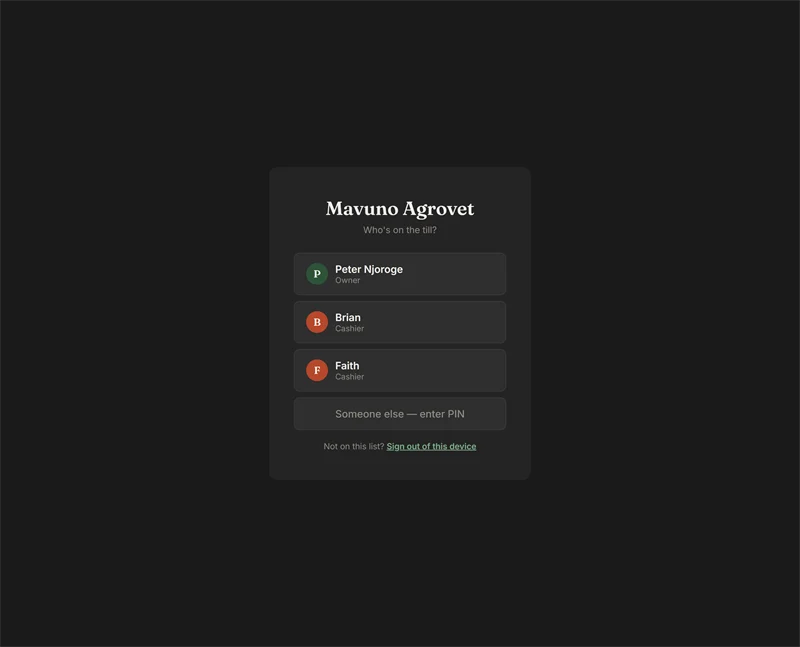
Everyone gets their own name and PIN. Owners see everything; cashiers only see what they need, and every sale records who made it.
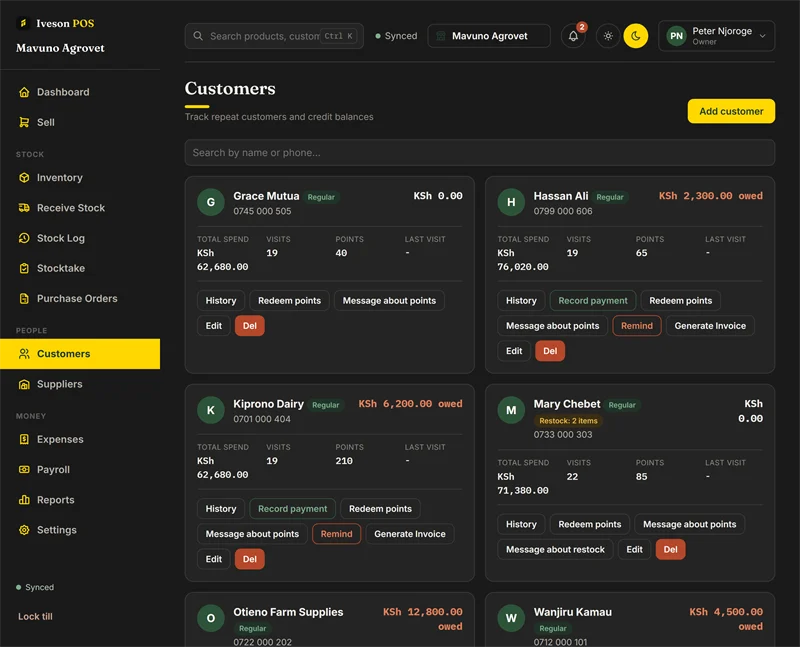
Know exactly who owes what, send reminders, and record payments — it counts as real money the moment they actually pay.
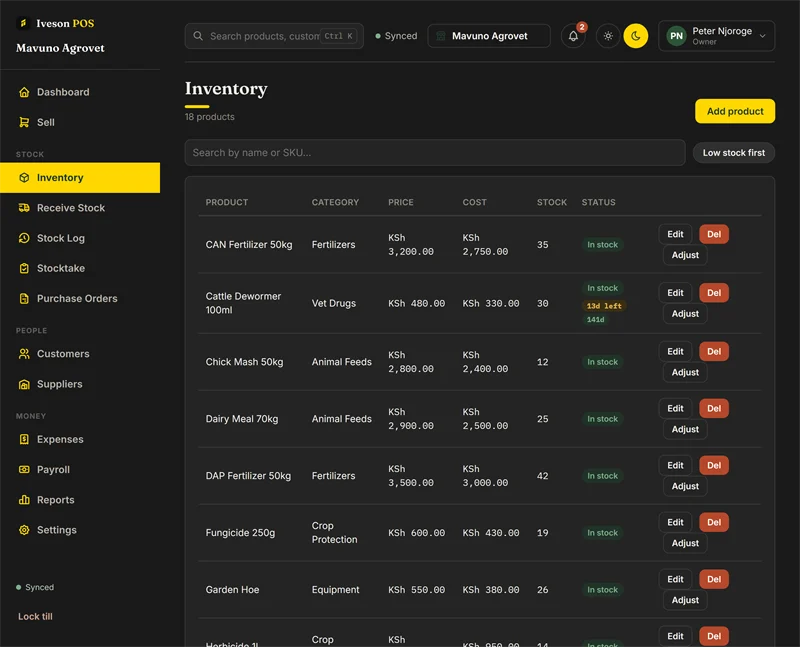
See which stock is about to expire before it costs you. Built for agrovets, pharmacies and anyone selling dated stock.
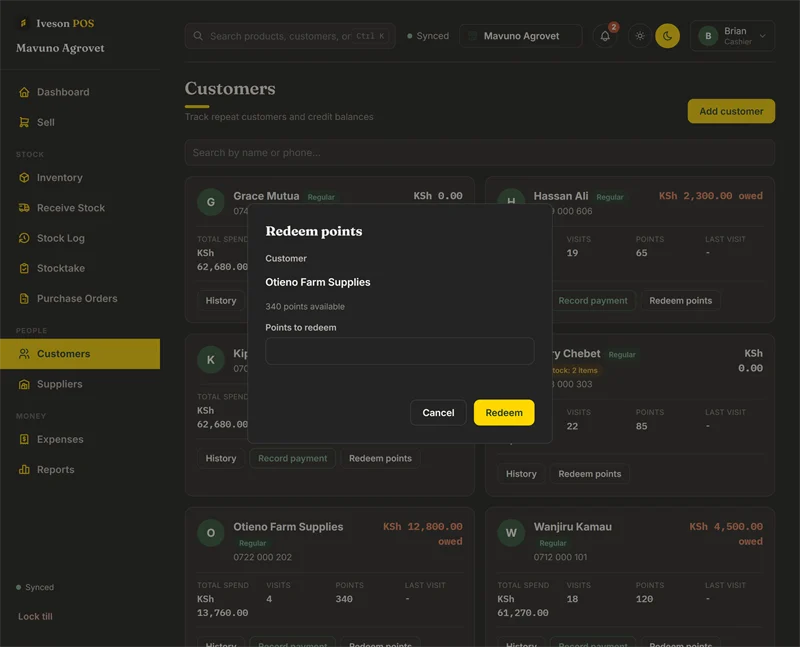
Customers earn points automatically on every sale linked to their profile, and you turn them into store credit in a couple of taps — no separate app or card.
For salons and service businesses: a day calendar per stylist that bills straight into the same till.
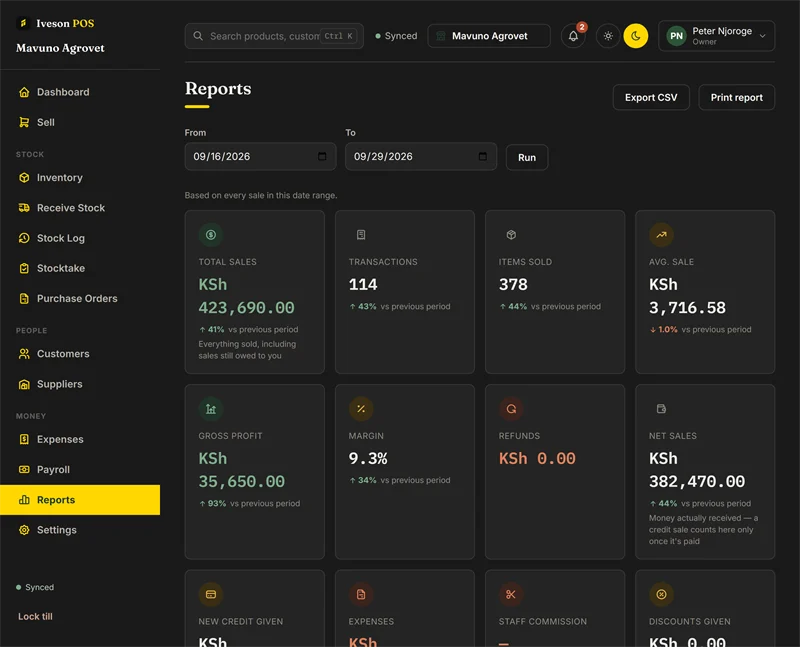
Sales, profit, margin, credit given and growth versus last period — worked out from every sale, not a spreadsheet you build yourself.
Switch between light and dark mode with one tap — easy to read under shop lights, easy on the eyes during a late stock count. Drag the handle to compare.
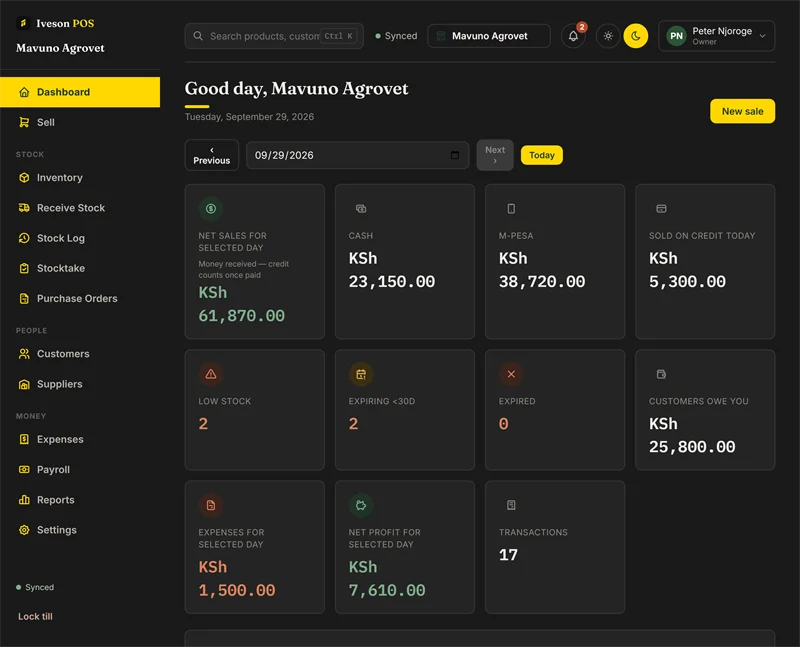
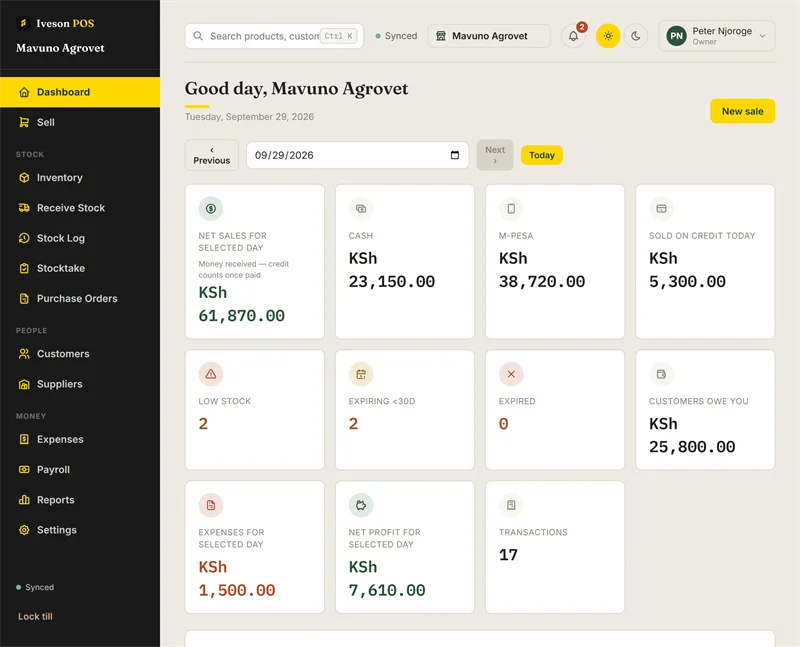
Check today's sales from home, from the farm or from the road. Iveson runs in the browser on any phone, tablet or laptop, and every device stays in sync.
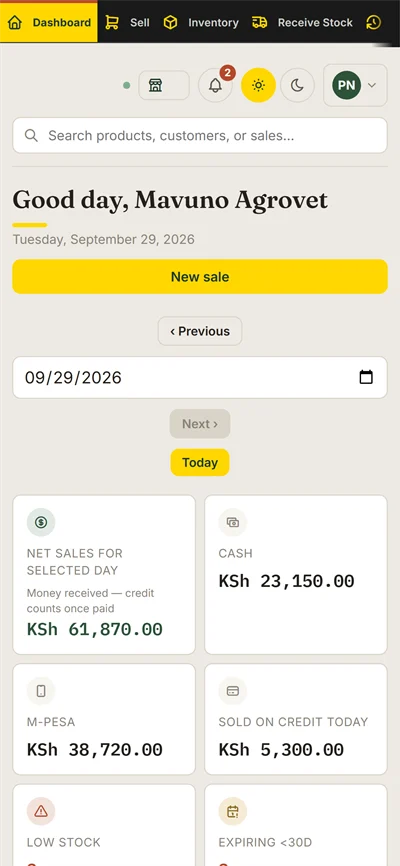
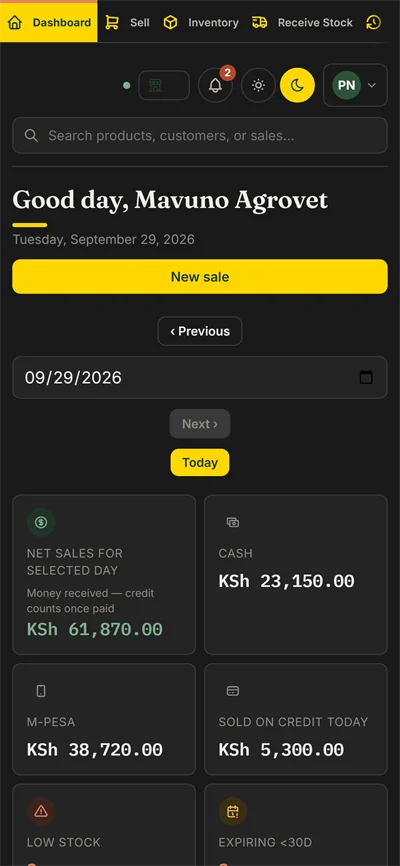
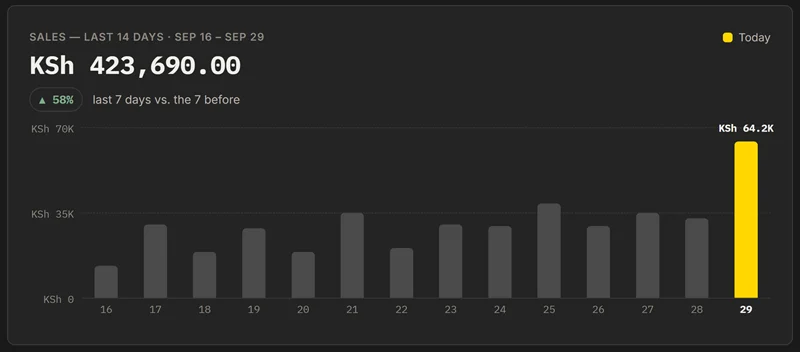
See which days are growing, what's selling, what you're owed and what you actually made — worked out for you from every sale.
The same system runs an agrovet selling fertiliser and a salon selling braids. Switch on only what your business needs.
Your type not listed? Ask us on WhatsApp and we'll tell you honestly whether it fits.
Bookings, stylists, services and commission live in the same system as your till — nothing to reconcile at the end of the month.
A one-time setup fee, then hosting paid monthly or yearly in advance: your choice. Tell us about your business and we'll recommend the right plan.
For shops selling products — agrovets, retail and hardware.
For salons, spas and service businesses with a team.
For businesses that need KRA-compliant e-invoices.
Prices are shared on request. All plans work on any phone, tablet or laptop. See how payments, refunds and cancelling work in our Refund & Cancellation Policy.
Straight answers. If yours isn't here, ask us on WhatsApp.
Yes. When the internet drops you keep selling: every sale is saved on the device and syncs automatically when the connection comes back. You only need internet the first time you sign in on a new device.
No. Iveson POS runs in the web browser on the phone, tablet or laptop you already have, so there's nothing to install. You can also add it to your home screen so it opens like an app.
Customers pay straight into your own Till or Paybill; Iveson never touches or holds your money. With Safaricom's Daraja set up, checkout sends the payment prompt to the customer's phone. Without it, the cashier types in the M-Pesa code instead. Cash and M-Pesa are shown separately every day.
Shops that sell products: agrovets, retail shops, dukas and minimarts, hardware and electrical stores, boutiques and clothing shops, phone and electronics shops, chemists, cosmetics shops, wines and spirits shops, stationery shops, auto spares and furniture stores. And businesses that sell services, on the Pro plan: salons, spas, barbershops (kinyozi) and nail bars, with bookings, commission and payroll. Restaurants, and shops that sell by weight, aren't supported yet.
No. Everyone logs in with their own name and PIN. Cashiers see only what they need at the till, stylists see only their own bookings and commission, and profit and payroll stay owner-only. Every sale records who made it.
Not yet. KRA eTIMS e-invoicing is planned as the Platinum add-on, and it's marked "coming soon" until it's ready. Until then, your eTIMS invoicing stays your own responsibility.
Ask us for a demo on WhatsApp. We'll show you the app with sample data, so you can see it working for a business like yours before you pay anything.
First a deposit, in an amount agreed with you in writing, and we start setting up your shop. On go-live day you pay the rest of the one-time setup fee and your first month or year of hosting (you choose), and selling starts that day. After that you pay hosting monthly or yearly, whichever you prefer, always in advance. The details are in our Refund & Cancellation Policy.
Your data is yours. It's never sold or shared with other businesses, and you can download a full copy from Settings at any time. If you leave, we keep it until you ask us to delete it, or for 12 months, so you can come back where you left off. See our Privacy Policy.
Tell us about your business and we'll show you how Iveson would run it.
Prefer email? hello@ivesonpos.com